Overview
Discover DroneDB in less than 2 minutes.
What is DroneDB
A comprehensive set of tools to inspect, manage, and share geospatial data. DroneDB provides a complete solution for organizing and distributing images, orthophotos, digital elevation models, point clouds, 3D models, and vector files.

For image processing and photogrammetry, we recommend WebODM. DroneDB excels at managing and sharing the resulting data.
Core Components
DroneDB consists of two main components:
| Component | Description |
|---|---|
| DroneDB Core | C++ library providing geospatial data management, indexing, and processing |
| DroneDB Registry | Web-based platform for hosting, managing and sharing datasets |
DroneDB Desktop (the standalone Windows application) serves a niche offline user base and is still available as a one-time purchase on the plans page. It is now in maintenance mode: no further developments are planned. For data inspection and sharing workflows we recommend using Registry/Hub.
Existing Desktop license holders: if you purchased a DroneDB Desktop license, you are entitled to 3 months free of the Professional plan on DroneDB Hub. Contact us at support@dronedb.app to activate your offer.
Key Features
Data Inspection
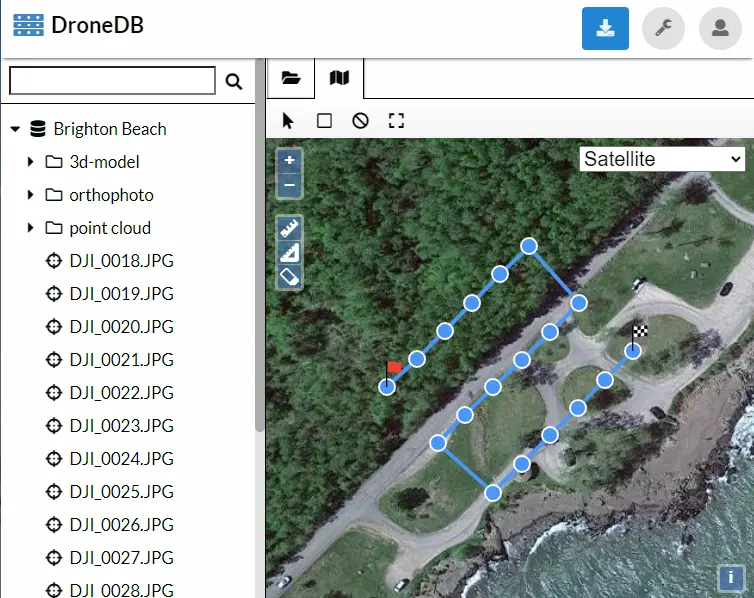
You have some geospatial data. But is your data good?
- Are the images georeferenced correctly (or at all)?
- Did you miss to capture an image (or an entire section)?
Difficult to say from a file browser
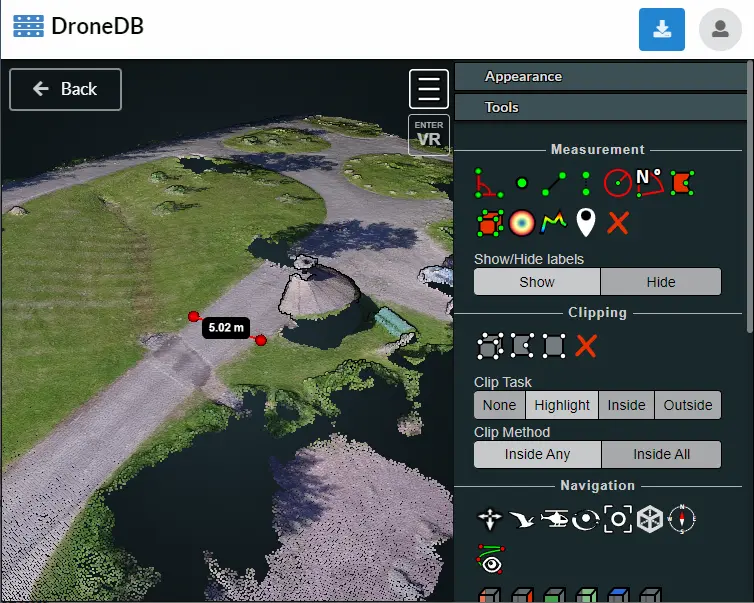
DroneDB Hub provides rich context and visualization directly in your browser:
Data Sharing
DroneDB supports a wide range of geospatial data formats:
| Category | Supported Formats |
|---|---|
| Images | JPG, JPEG, DNG, TIF, TIFF, PNG, GIF, WEBP |
| Multispectral / Thermal | Multi-band GeoTIFF, FLIR R-JPEG, thermal GeoTIFF |
| Videos | MP4, MOV, WEBM, M4V, AVI, MKV |
| Point Clouds | LAS, LAZ, E57, PTS, XYZ, PLY* |
| 3D Models | OBJ, GLTF, GLB, PLY*, OGC 3D Tiles (.3tz) |
| Gaussian Splats | PLY*, SPLAT, SPZ, KSPLAT |
| Vector Data | GeoJSON, DXF, DWG, SHP, SHZ, FGB, TopoJSON, KML, KMZ, GPKG |
| Other | Markdown, and generic files (PDF, etc.) |
*PLY files are automatically classified as point clouds, 3D models, or Gaussian Splats based on their content. Textured PLY files are treated as generic files.
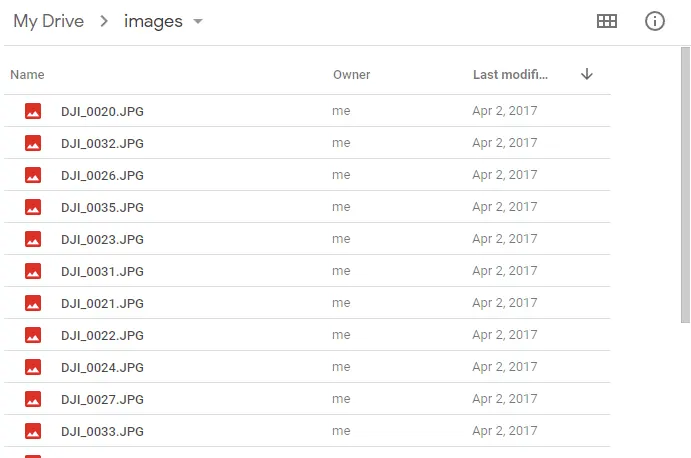
Traditional cloud storage like Google Drive or Dropbox doesn't let you interact with geospatial data:
DroneDB Hub is interactive; you can view images, point clouds, textured models, panoramas all in one place with measurements tools, STAC support, and more:
Key Capabilities
- Automatic Metadata Extraction: EXIF, sensor data, GPS coordinates
- Spatial Indexing: SQLite with SpatiaLite extensions
- On-Demand Processing: Dynamic tiling, thumbnails, COPC generation
- 3D Streaming: Nexus format and OGC 3D Tiles for efficient mesh streaming
- STAC Compliance: Standard catalog format for interoperability
- Public & Private Datasets: Flexible visibility controls
Entry Types
DroneDB automatically classifies files into the following types based on their content and metadata:
| Type | Description |
|---|---|
| Image | Standard images (JPG, PNG, etc.) without GPS data |
| GeoImage | Georeferenced images with GPS coordinates |
| Panorama | Wide-angle images (aspect ratio ≥ 2:1) |
| GeoPanorama | Panoramas with GPS coordinates |
| Video | Standard video files |
| GeoVideo | Videos with embedded GPS data |
| GeoRaster | Georeferenced rasters (orthophotos, DEMs, multispectral) |
| PointCloud | Point cloud files (LAS, LAZ, E57, PTS, XYZ, non-mesh PLY) |
| Model | 3D models (OBJ, GLTF, GLB, mesh PLY) |
| Tiles3D | OGC 3D Tiles archives (.3tz) and generated 3D Tiles tilesets |
| GaussianSplat | Gaussian Splat files (PLY splat, SPZ, SPLAT, KSPLAT) |
| Vector | Vector data (GeoJSON, SHP, KML, DXF, GPKG, etc.) |
| Markdown | Documentation files (.md) |
| Directory | Filesystem directories |
| Generic | Files with no special handling |
| DroneDB | Directories containing a .ddb database |
Get Started
- Register an account on Hub (it's free)
- Explore your first dataset at hub.dronedb.app
Advanced Users
- Self-host your own instance with Registry
- Install the command line tool
- See Getting Started for a complete walkthrough